

Nitro PDF : Advanced PDF Editing Solution for Professionals
Nitro PDF: in summary
Unlock productivity with Nitro PDF. With a powerful suite of PDF tools, you can easily edit, convert, sign, annotate, combine, secure, and protect your documents, streamlining workflows and allowing you to focus on what matters. Our flexible plans and affordable pricing cater to everyone, from individual users and small teams to large enterprises. Plus, we offer a wide range of support resources to ensure the success of every customer.
What are the main features of Nitro PDF?
Robust Editing and Conversion
Nitro PDF revolutionises document handling with its robust editing and conversion tools, allowing users to adapt PDFs with ease. This feature simplifies content updates and redesigns crucial documents quickly and efficiently.
- Convert PDFs to Word, Excel, and PowerPoint formats.
- Edit text, images, and pages directly in PDFs.
- Create PDFs from any printable application.
Streamlined Collaboration
The software enhances team productivity through its streamlined collaboration features. This enables multiple users to provide input and ensure document accuracy before final approvals.
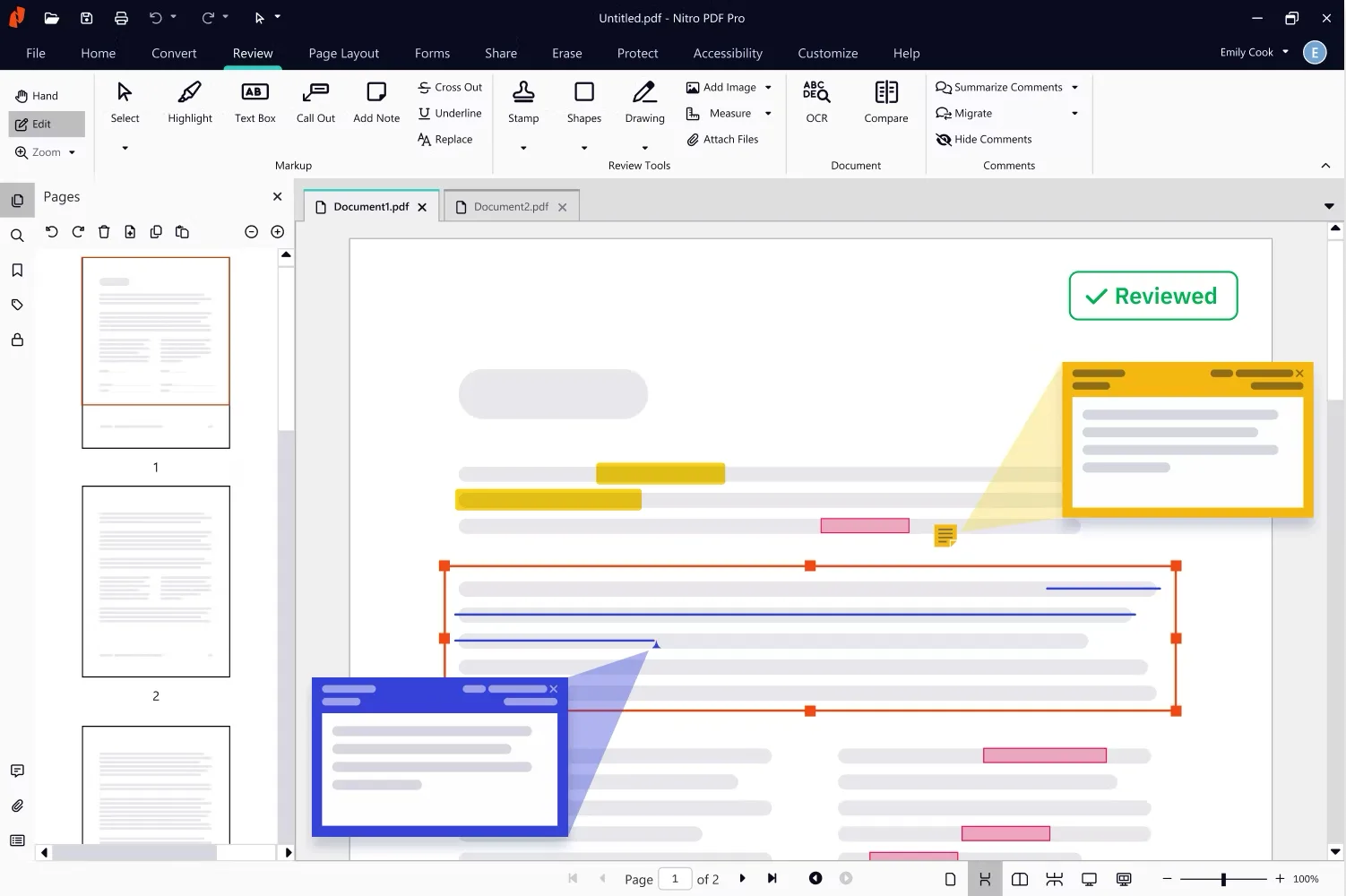
- Annotate and mark up PDFs with comments and highlighting tools.
- Track and manage feedback from various contributors.
- Share documents securely with colleagues and clients.
Efficient eSigning Capabilities
With efficient eSigning capabilities, Nitro PDF removes the hassle from your document approval processes. Signatures become simple, quick, and legally binding across devices.
- Send, receive, and manage signed documents digitally.
- Ensure compliance with industry-standard eSigning protocols.
- Reduced turnaround time for signed agreements.
Nitro PDF simplifies PDF editing workflows for teams and businesses of all sizes
- Competitive pricing - Unlike expensive alternatives like Adobe, Nitro PDF offers a cost-effective solution with transparent pricing and no hidden fees, giving you the freedom to adapt to changing market conditions while maximizing ROI.
- Trusted security - Security and compliance are top priorities at Nitro. Through our compliance program, we have obtained internationally recognized certifications for our products, such as Soc 2, HIPAA, QTSP, ISO 27001, and more.
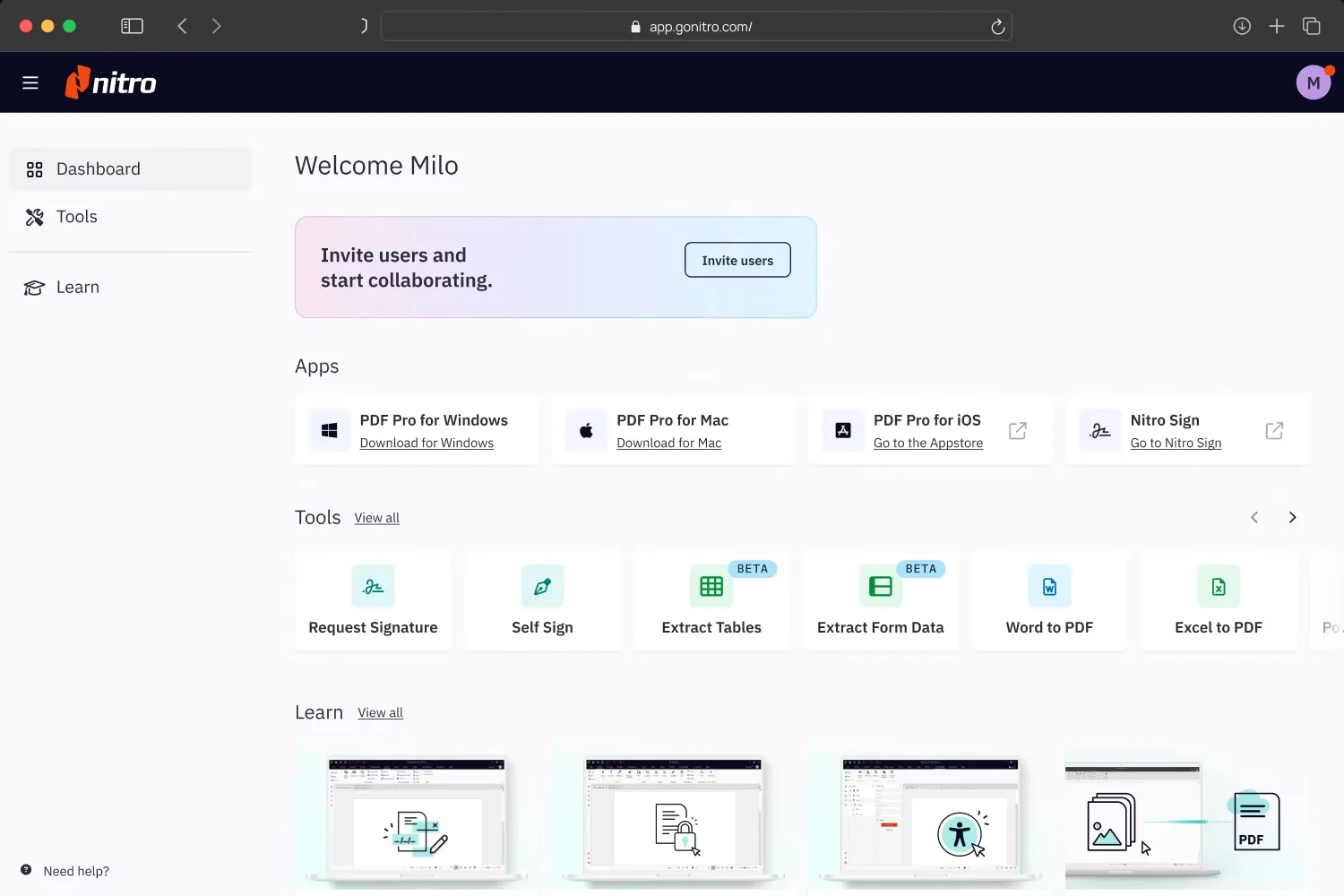
- Intuitive ease of use - Nitro’s user-friendly PDF editor layout allows for fast user adoption. Nitro PDF seamlessly mirrors the Microsoft Office ribbon UI (Windows) and Apple’s toolbar (Mac), providing an intuitive experience for users across different operating systems.
- Dedicated support - Get the help you need, when you need it. From setup assistance and change management to troubleshooting and support, Nitro’s expert team prioritizes your success every step of the way.
- Productivity & efficiency - Nitro PDF simplifies and accelerates document workflows, enabling you to accomplish more in less time. Automate repetitive tasks and seamlessly collaborate, streamlining workflows and freeing up time to focus on what really matters.
- Transformation with AI - Nitro’s AI tools transform document productivity with intelligent, secure, and intuitive tools designed to prioritize data security. Control your experience with our AI tools and unmatched commitment to data integrity and privacy.
Seamlessly integrate with leading industry tools
Work where you’re productive with integrations for the tools you use every day. Use Nitro seamlessly with Microsoft 365, SharePoint, iManage, and AIP.
Its benefits
- Seamless PDF editing
- Enhanced OCR and digital signing
- Trusted security
- 24/7/365 support
- Productivity ROI and insights
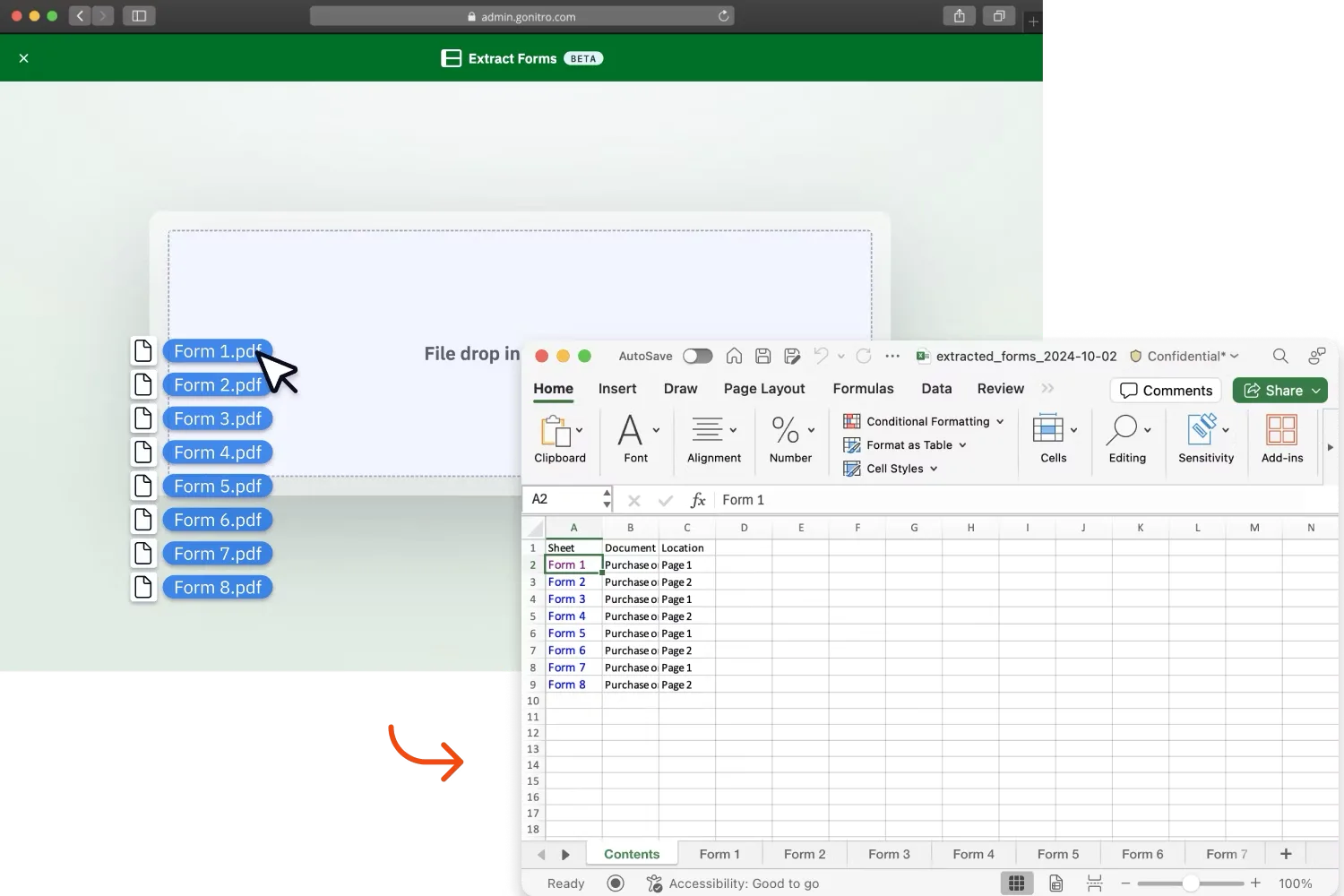
Screenshots
Nitro PDF: its rates
Nitro PDF Standard
US$17.22
/month /user
Nitro PDF Plus
Rate
On demand