

Systweak PDF Editor : PDF Editor for Windows
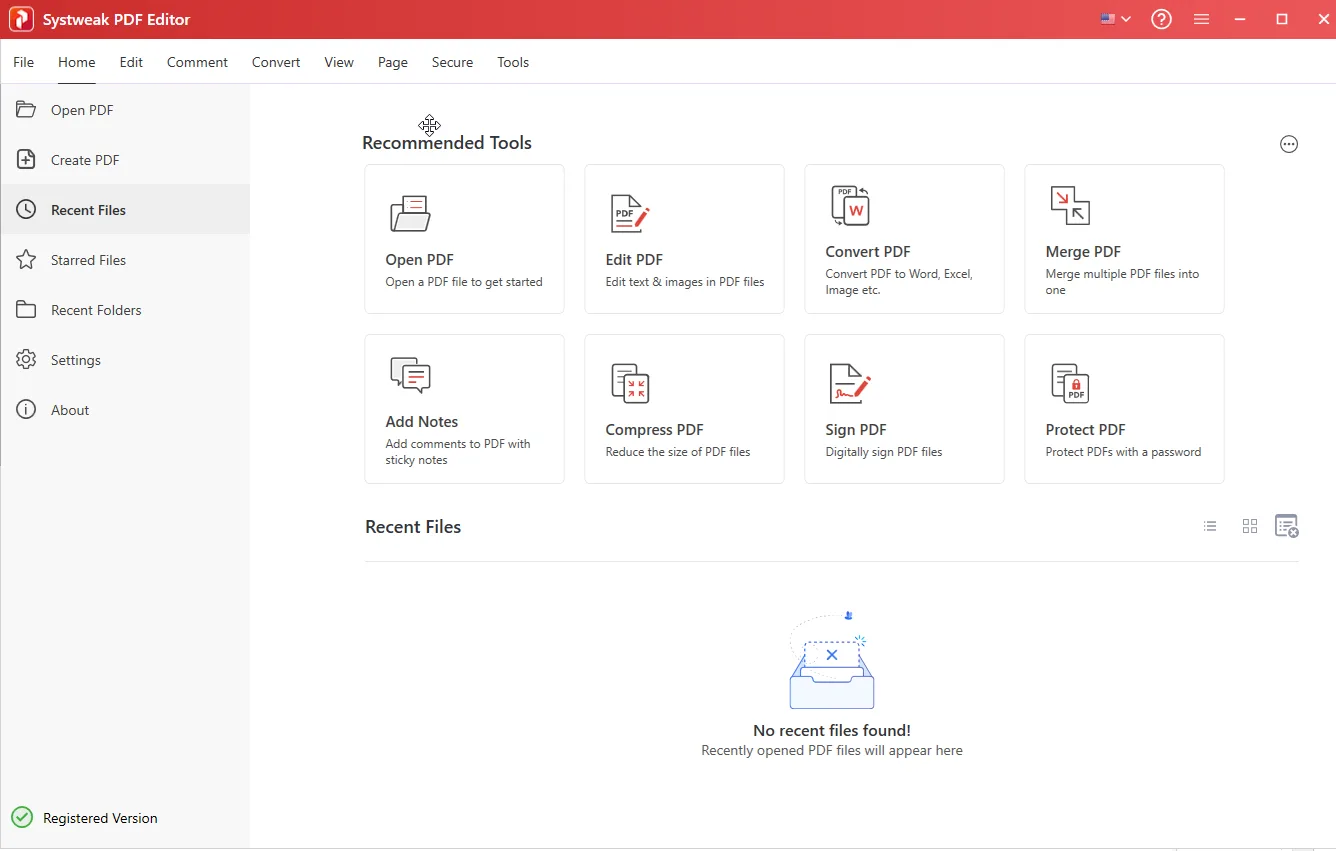
Systweak PDF Editor: in summary
Systweak PDF Editor is a comprehensive PDF management software for Windows that enables users to handle a wide range of document tasks from a single platform. Designed for students, professionals, administrative staff, and small business users, it covers the essential functions required for day-to-day PDF handling, including editing, conversion, organization, annotation, and file security.
Key benefits include:
- Direct editing of text and images within PDF files without converting them first
- Format conversion between PDF and Word, Excel, JPG, and more
- Built-in OCR (optical character recognition) to extract editable text from scanned documents
Compatible with Windows 11, 10, 8, and 7, Systweak PDF Editor offers an intuitive experience with tools suited to both beginner and advanced users.
What are the key features of Systweak PDF Editor?
Edit text and images in PDF files
Systweak PDF Editor allows you to make direct changes to the contents of a PDF document.
- Add, delete, or modify text blocks
- Insert, resize, or move images and graphics
- Customize fonts, alignment, and layout elements
- Maintain formatting consistency across edited pages
This eliminates the need for external file conversions or rework in word processors.
Convert PDFs to and from multiple formats
Users can convert documents between PDF and popular file formats for easier reuse or distribution.
- Supported output formats include Word (DOCX), Excel (XLSX), PowerPoint, JPG, PNG, and TXT
- Converts files while preserving formatting and layout
- Batch conversion allows multiple documents to be processed at once
This is particularly useful for archiving, collaboration, or data extraction tasks.
OCR for scanned documents
The built-in Optical Character Recognition (OCR) tool enables the transformation of scanned or image-based PDFs into editable, searchable documents.
- Supports multi-language text recognition
- Extracts text while maintaining original structure and fonts
- Improves accessibility of legacy or hardcopy files
This is a valuable feature for digitizing paper records or working with scanned contracts and forms.
Organize and manipulate PDF pages
Systweak PDF Editor includes tools to merge, split, rearrange, or remove pages within a PDF file.
- Drag-and-drop interface to reorder pages quickly
- Combine multiple PDFs into one document
- Extract specific pages or split large files into smaller ones
- Rotate or duplicate pages as needed
These tools simplify document preparation for printing, sharing, or presentation.
Annotate, comment, and markup PDFs
Users can add collaboration-ready annotations directly into documents.
- Add sticky notes, comments, highlights, and shapes
- Insert custom watermarks or stamps
- Tools for underlining, striking through, or highlighting text
Ideal for document reviews, feedback sessions, or training materials.
Secure documents with encryption and signatures
Systweak PDF Editor includes features to protect sensitive documents from unauthorized access.
- Password protection to control viewing and editing permissions
- Digital signature support for authentication and document integrity
- Redaction tools to permanently remove sensitive information
These features are essential for legal, financial, or confidential communications.
Batch processing for faster workflows
To streamline repetitive tasks, Systweak PDF Editor supports batch operations for:
- Converting multiple files simultaneously
- Applying the same watermark or password across documents
- Compressing large volumes of PDFs at once
This significantly reduces manual workload in environments with high document turnover.
To summarize
Systweak PDF Editor stands out for its balance of usability and feature depth, offering:
- All-in-one PDF handling for editing, converting, organizing, and securing documents
- Efficient batch processing for large-scale tasks
- Built-in OCR for turning scanned content into editable text
- Direct editing of content within PDF files
- Strong document protection features including password encryption and digital signatures
It provides a reliable, well-rounded solution for individuals and teams that work regularly with PDF documents on Windows systems.
Systweak PDF Editor: its rates
standard
US$48.97
/year /user
Standard
Rate
On demand