
Notezilla : Boost Productivity with Smart Note Management
Notezilla: in summary
Designed for professionals and students, Notezilla offers a streamlined approach to taking and organising notes. Enhance your workflow with features like sticky notes, cloud sync, and robust search functionality, setting it apart from the competition.
What are the main features of Notezilla?
Efficient Note Organisation
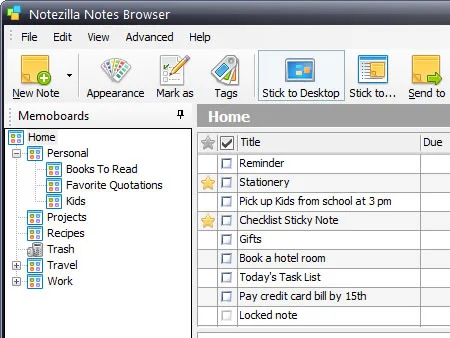
Notezilla provides users with powerful tools to keep their notes well-organised. Whether you’re managing projects or personal tasks, this feature ensures information is at your fingertips.
- Tags and Categories: Easily categorise notes for quick retrieval.
- Folders and Subfolders: Create a hierarchical structure to manage complex data.
- Checklists: Integrate to-do lists within notes to track progress.
Cloud Sync and Backup
Access your notes from anywhere with Notezilla’s seamless cloud integration. This ensures your information is always safe and up-to-date, whether on your desktop or mobile device.
- Cross-Device Synchronisation: Keep your notes updated across all devices in real time.
- Automatic Backups: Rest easy knowing your data is securely backed up in the cloud.
- Offline Access: View your notes even without an internet connection.
Customisable Sticky Notes
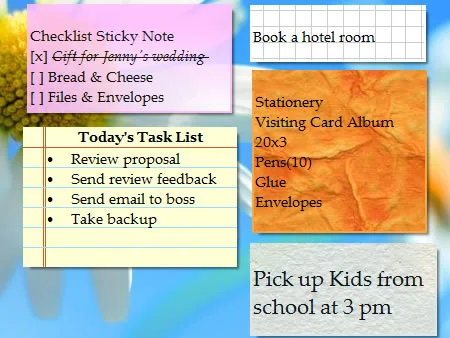
Transform your desktop into an interactive workspace with Notezilla’s versatile sticky notes feature. This tool adapts to your style, making note-taking both functional and fun.
- Desktop Widgets: Pin important notes directly to your desktop for quick access.
- Custom Colours and Fonts: Personalise your notes to highlight priorities.
- Quick Sticky Notes: Create fast notes with a simple keystroke combination.
Screenshots
Notezilla: its rates
standard
Rate
On demand
Customer reviews about Notezilla
Appvizer calculates this overall rating to make your search for the best software easier. We've based it on user-generated verified reviews on industry-leading websites.