

Teamweek : Streamline Project Planning with Intuitive Tools
Teamweek: in summary
Teamweek is a powerful project management software designed to empower teams with agile planning tools. Ideal for project managers and teams seeking efficiency, Teamweek offers seamless drag-and-drop scheduling, real-time collaboration, and automated timeline updates, setting it apart from competitors.
What are the main features of Teamweek?
Effortless Drag-and-Drop Scheduling
Teamweek excels with its intuitive drag-and-drop functionality that simplifies project task allocation and timeline management for teams.
- Visual Planning: Easily organise tasks on a virtual timeline to achieve clear project visibility.
- Customisable Views: Tailor task views to suit individual roles or project requirements.
- Timeline Adjustments: Swiftly adjust project timelines by dragging tasks to new dates seamlessly.
Real-Time Collaboration Tools
Enhance team collaboration with features that promote instant communication and sharing of resources, ensuring everyone is informed and aligned.
- Live Updates: Keep team members updated with real-time changes to projects and tasks.
- Instant Notifications: Receive alerts when tasks are modified or deadlines approach.
- Shared Workspaces: Collaboratively plan projects by sharing ideas and progress effortlessly.
Automated Timeline Updates
Stay on top of project progress with automated updates that simplify monitoring and ensure projects are on track without manual interventions.
- Progress Tracking: Monitor task completion rates and project milestones automatically.
- Dependency Management: Automatically adjust dependent tasks with timeline changes to avoid conflicts.
- Efficient Resource Allocation: Ensure optimal use of resources with intelligent scheduling suggestions.
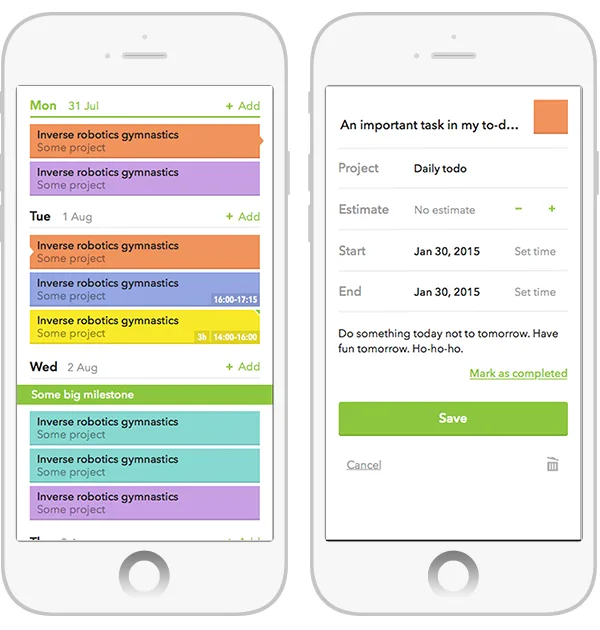
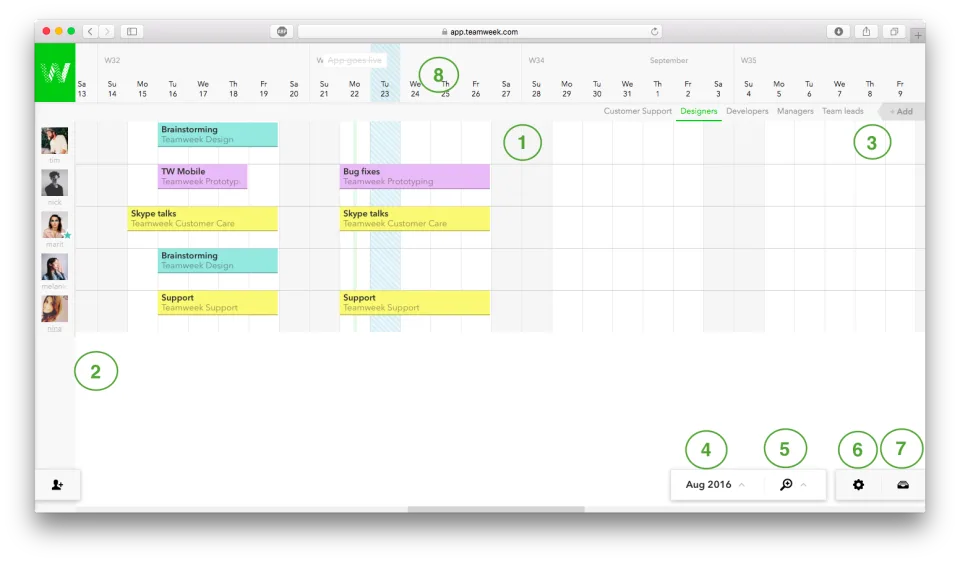
Screenshots
Teamweek: its rates
standard
Rate
On demand