

Principle : Engage with Interactive Design Tool for Prototyping
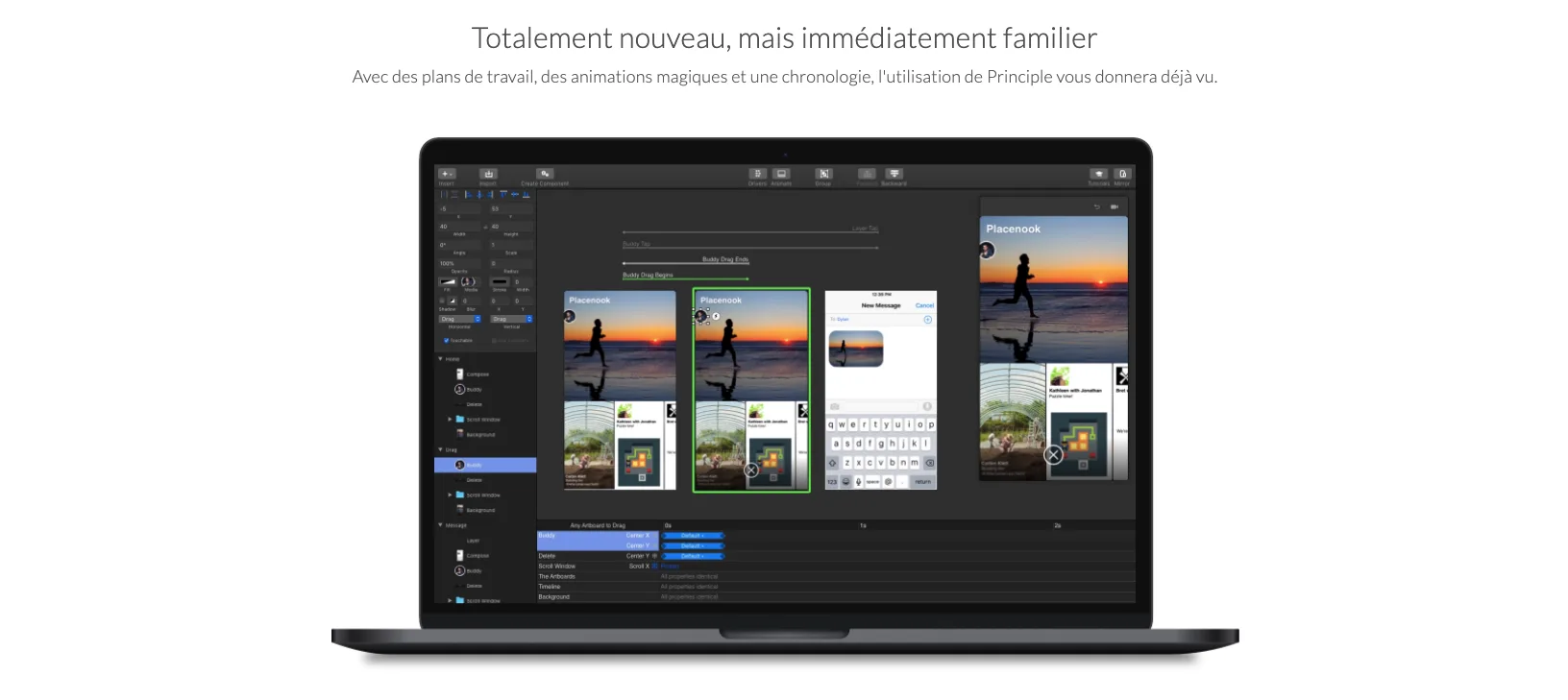
Principle: in summary
Principle is a powerful design software tailored for creative professionals, allowing them to craft interactive and animated prototypes effortlessly. Ideal for designers aiming to enhance user experiences, its standout features include dynamic transitions, quick previews, and versatile design elements.
What are the main features of Principle?
Create Dynamic Transitions
Principle provides designers with the tools to build fluid and interactive transitions. This feature allows for the simulation of real-world interactions, making design concepts more tangible.
- Customisable animation timings
- Drag-and-drop interface for ease of use
- Ability to link multiple screens seamlessly
Quick Previews and Testing
With Principle, you can swiftly preview your designs on multiple devices, ensuring that your prototypes look and function as intended across various platforms.
- Instant device syncing
- Easy sharing options for team collaboration
- Smooth navigation testing
Versatile Design Elements
Principle equips designers with a comprehensive suite of design elements to bring their creative visions to life. This ensures flexibility and adaptability in crafting unique prototypes.
- Extensive library of templates and components
- Support for vector and bitmap editing
- Compatibility with other design tools for enhanced workflow
Principle: its rates
Standard
Rate
On demand
Customer reviews about Principle
Appvizer calculates this overall rating to make your search for the best software easier. We've based it on user-generated verified reviews on industry-leading websites.